The problem
In a Re-cafe coffee newsletter built in MJML, the footer text is meant to be white on a grey background. In dark mode the text rendered black instead of white on the grey background.
Where it happens
Clients: macOS Tahoe (dark) and macOS Golden Gate (dark3) (beta).
Email: grey footer blocks (#3D3D3D and #898989) with white text, built in MJML.
The cause
Fix: Confirmed in both macOS clients.
Cause: Not confirmed. Two changes were used together and I didn't test them separately.
My best explanation is that Apple's mail apps use data detectors that recognise things like street addresses, phone numbers, and dates and turn them into links with their own styling. The footer contains a street address. The footer blocks also didn't set their own background colours explicitly. I can't say which of the two mattered more, so treat both as suspects.
The affected HTML and where it is
The problem is in the footer text block, the one that holds the company name and street address. In this simplified version it sits in its own grey section:
<mj-section background-color="#3D3D3D" padding="0 0 10px 0">
<mj-column>
<mj-text font-family="Helvetica, Arial, sans-serif" color="#ffffff" font-size="16px" align="center" padding="15px" line-height="1.6">
© Example Co.<br />1 Example Street, Melbourne, Victoria 3000 Australia
</mj-text>
</mj-column>
</mj-section>The fix
Two changes, used together.
1. Switch off Apple's data detectors and make any detected link inherit its colour. Four meta tags go in the head, and one rule resets the link styling:
<meta name="format-detection" content="telephone=no">
<meta name="format-detection" content="date=no">
<meta name="format-detection" content="address=no">
<meta name="format-detection" content="email=no">
a[x-apple-data-detectors] {
color: inherit !important;
text-decoration: none !important;
font-size: inherit !important;
font-family: inherit !important;
font-weight: inherit !important;
line-height: inherit !important;
}2. Set the background colour explicitly on every footer block. That means the section, the column, and the text container, so no client has to guess it. For example:
<mj-section background-color="#898989" padding="10px 0px 18px 0px">
  <mj-column width="100%" background-color="#898989">
    <mj-text container-background-color="#898989" font-size="16px" line-height="24px" align="center" color="#FFF">
      ...
    </mj-text>
  </mj-column>
</mj-section>
The grey section that holds the address does the same with #3D3D3D.
What I retested
- macOS Tahoe (dark): footer text white on grey.
- macOS Golden Gate (dark3) (beta): footer text white on grey.
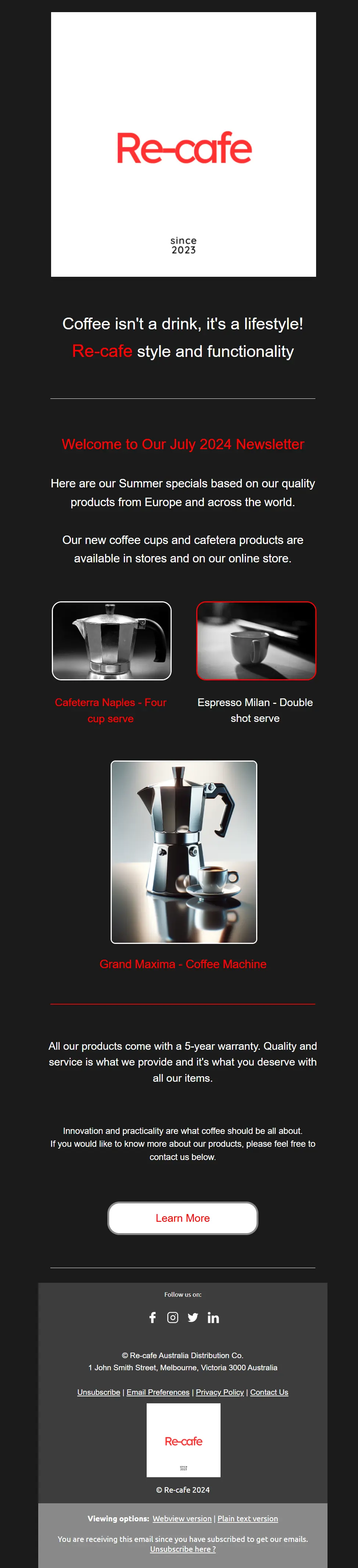
After the fix: the footer text is white on the grey background.
The full newsletter rendered well in 130 clients after all my dark mode fixes, with a few small differences (see the screenshots below). This post only claims the two macOS results above, so test your own audience's clients before relying on it.
The newsletter in other clients
These are test results for the full newsletter in some other clients. They show the top of the email, not the footer, so they give context for the wider dark mode testing and don't show the footer fix itself.
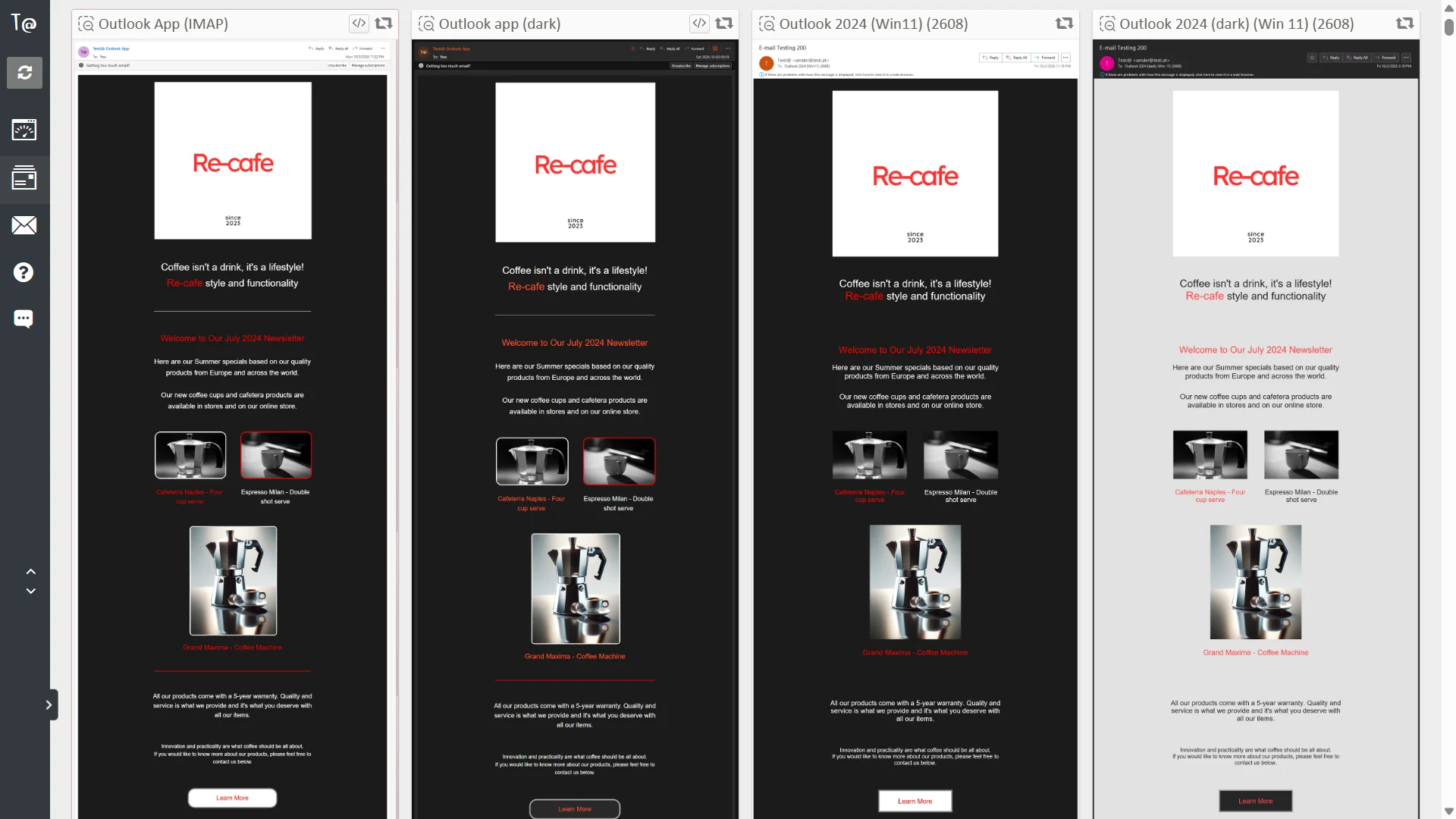
Outlook App (IMAP), Outlook app (dark), Outlook 2024 (Win11) (2608), and Outlook 2024 (dark) (Win 11) (2608).
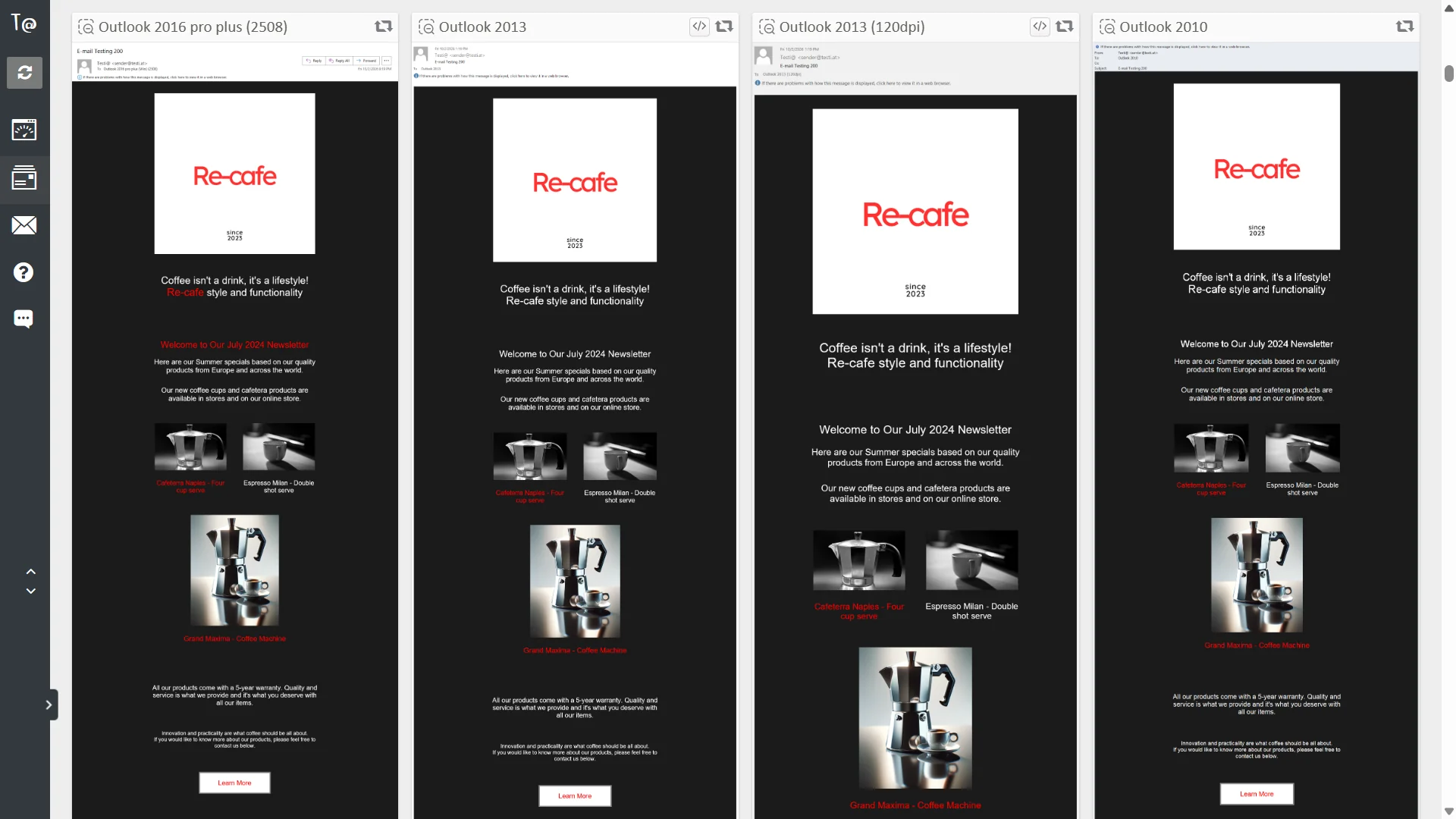
Outlook 2016 pro plus (2508), Outlook 2013, Outlook 2013 (120dpi), and Outlook 2010. In the last three, the red headline words appear white instead of red.
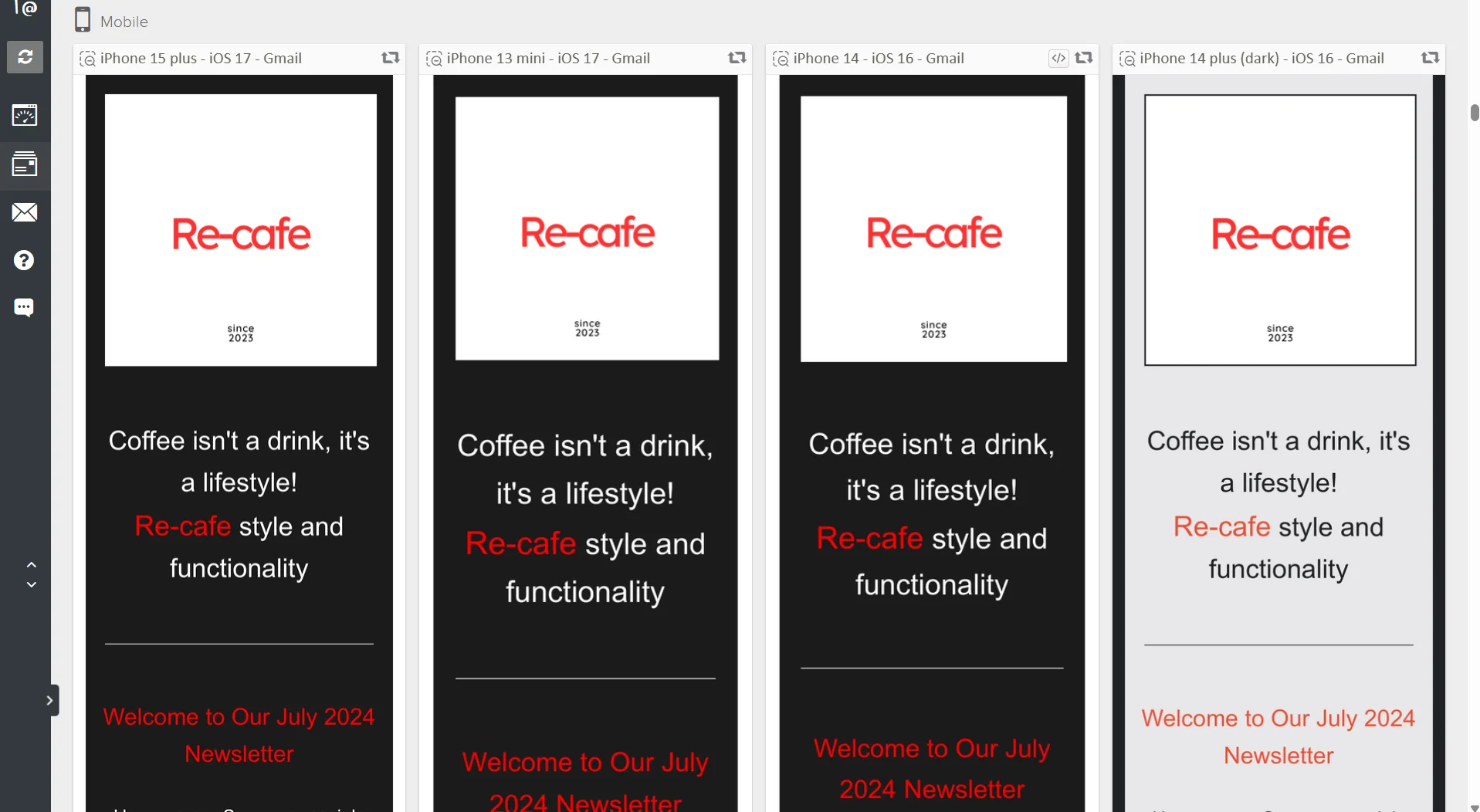
Gmail on iPhone 15 plus (iOS 17), iPhone 13 mini (iOS 17), iPhone 14 (iOS 16), and iPhone 14 plus (dark) (iOS 16).
What I'd check next
Turn off one change at a time and recheck macOS in dark mode. That would show whether the data detector handling, the explicit backgrounds, or both are needed.
Related
This was one of three dark mode problems in the same newsletter. The other two, the button colours in Outlook and the footer and social icon inversion, are in What dark mode inversion did to my newsletter, and the fixes.
Files in the repo
Takeaway
If footer text goes the wrong colour in Apple's dark mode, switch off the data detectors and set the background colour explicitly on every footer block.